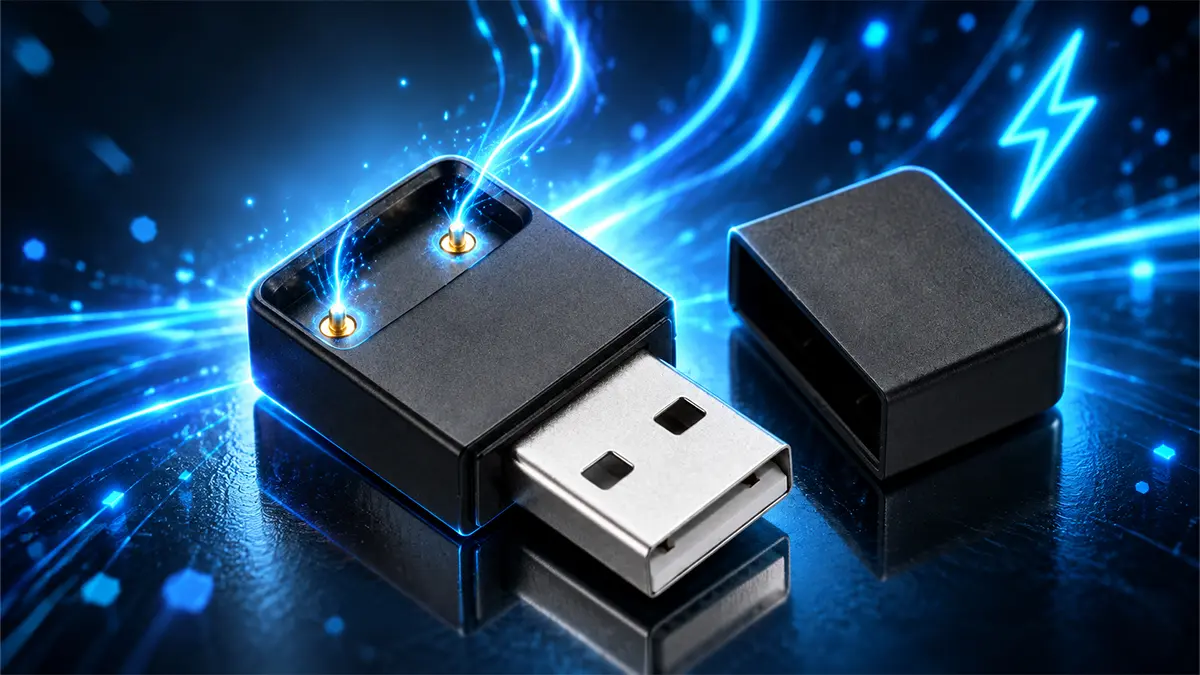
To charge a JUUL, sit the device on the USB Charging Dock it came with and plug the dock into a USB port. A full charge takes about 1 hour. The battery is 200 mAh, which JUUL says should last roughly as long as 1 full JUULpod. Most charging problems turn out to be dirty contacts or the wrong kind of adapter.
Key Takeaways
- About 1 hour from flat to full on the USB Charging Dock in the box.
- The battery is 200 mAh. JUUL says a full charge should last through the day.
- A red light means it needs charging, not that something is broken.
- JUUL says fast-charge phone and tablet adapters are not compatible with the device.
- Most charging faults are pocket lint on the contacts. A dry cotton swab fixes it.
How do you charge a JUUL?
The JUUL Device charges through contacts on its base rather than a port in the side. There is no USB-C socket on the device itself.
Sit the device into the USB Charging Dock that ships in the box. It holds magnetically, so it seats itself once the 2 contacts line up. Plug the other end of the dock into any USB port and the indicator light comes on. 1 device, 1 dock, no adapter in between.
That dock is proprietary. The contact layout is specific to this device, which is the reason a generic cable will not do the job. It is also why a JUUL charger is not interchangeable with anything else in your drawer.
How long does a JUUL take to charge?
About 1 hour from flat to full, so roughly 60 minutes on a plain USB port. That figure holds across all 5 finishes, because the hardware inside them is identical.
The light on the front tracks it while it charges. Is it taking noticeably longer than 60 minutes? That is usually the first sign of 1 of the 4 faults further down this page, rather than a battery at the end of its life.
How do you know when it is charging, and when it is done?
The indicator light on the front of the device is the only readout, and it does 2 jobs.
While the device sits on the dock it shows charging progress. Tap the device when it is off the dock and the same light shows roughly where the battery stands.
A red light is the one worth recognising. JUUL is explicit that a red LED means the device needs charging. It is a fuel gauge, not a fault code, and people mistake it for one.
Do JUULs come charged?
Partly. A new device arrives with enough charge to switch on and confirm it works, not a full one. Treat the first 60 minutes on the dock as part of unboxing.
Give it a full hour on the dock before you judge how long it lasts. A first session run from a part-charged battery is where the impression of poor battery life usually comes from, and it accounts for a good share of day-1 complaints.
How long does a JUUL charge last?
JUUL puts the battery at 200 mAh and says a full charge should last roughly as long as one full JUULpod, though that varies with how you use it. In the company's own framing, a fully charged device should get you through the day.
Pod life is the useful yardstick here, because the 2 run down together. A pod holds about 0.7mL and runs roughly 200 puffs, so if you are getting well under a pod per charge, the battery is the part that has aged. How long JUULpods last works that side through.
Why is my JUUL not charging?
JUUL publishes 4 checks, and they run cheapest first.
| Symptom | Most likely cause | What to do |
|---|---|---|
| Nothing happens on the dock | Dirty contacts | Rub device and dock contacts with a dry cotton swab |
| Charges slowly or stops | Weak or faulty USB port | Try a different USB port |
| Never reaches full | Wrong adapter | Stop using a fast-charge phone or tablet adapter |
| Held charge, now does not | Battery age | Lithium-ion capacity drops over time; check the warranty |
| Was dropped in water | Moisture on the electronics | Dry it out before charging, see below |
Contacts first. A device carried in a pocket or a bag picks up dust and lint, and JUUL says that is enough to stop it charging or slow it down. Rub the contacts on both the device and the dock gently with a dry cotton swab.
Then the USB port. The fault may be neither the device nor the dock. Try a different port before you conclude anything.
Then the adapter, which is the one people get wrong. JUUL states plainly that you should not charge the device with the wall adapter from a tablet or a phone, and that fast-charge adapters are not compatible with it. A plain USB port is what the dock expects.
Then age. Every lithium-ion battery loses capacity over time, so an older device genuinely does hold less than it did. If yours is under a year old, the warranty below is the next step.
Can you charge a JUUL without the charger?
This gets asked constantly, and the honest answer is no, not in any way worth doing.
The device has no port. Charging it means making contact with 2 small pads on its base, which is why the improvised methods people trade online involve bridging those pads with whatever is to hand. That is a lithium-ion cell with no protection between it and whatever you touch to it, and it is also outside anything the manufacturer supports.
JUUL's own position on adapters is already on the record: phone and tablet wall adapters should not be used, and fast-charge adapters are not compatible. So the workaround most guides suggest is one the manufacturer rules out even before you get to the improvised versions.
There is a further practical point. The 1 year limited warranty does not cover damage from misuse or modification, so a device harmed by an improvised charge is a device you have paid to replace.
The realistic options are a replacement dock, JUUL's own Charging Case, or a second device. Every JUUL Device sold at Vape City USA ships with its own USB Charging Dock.
What if it got wet?
Water damage is excluded from the warranty, but JUUL does publish a recovery routine and it is worth trying before you write the device off. Do not put it on the dock while it is wet.
Take the pod out and blot what you can with a paper towel. Use a cotton swab on the pod bay at the top, then blow through the device to clear water caught inside.
Then seal it in a zip-top bag with a silica gel packet or a cup of dry rice and leave it for a day. Take it out after that and try charging. If it still will not charge, the device needs replacing.
Replacement chargers and the Charging Case
Vape City USA does not stock a standalone JUUL dock or Charging Case, so this is guidance rather than a pitch.
JUUL sells a Charging Case with an internal battery that recharges the device 2 or more times over. It tops up from any USB port with a USB-C cord, sold separately. It answers travel rather than a lost dock.
What we do stock is the device itself, which always includes a dock, and JUULpods in 4-packs in Virginia Tobacco and Menthol at 3% or 5%. The JUUL brand page has both, and the JUUL vape guide covers the hardware end to end.
Frequently asked questions
How long does it take to charge a JUUL?
About 1 hour from flat to full on the USB Charging Dock. If it is taking substantially longer, check the contacts for lint and try a different USB port before assuming the battery is worn.
How do I know when my JUUL is fully charged?
The indicator light on the front tracks charging while the device sits on the dock. Tap the device off the dock and the same light shows roughly where the battery is. A red light means it needs charging.
Do JUUL devices come charged?
They arrive with a partial charge, enough to confirm the device works. Give it a full hour on the dock before you judge its battery life.
How long does a JUUL battery last on one charge?
The battery is 200 mAh and JUUL says a full charge should last roughly as long as one full JUULpod, which for most people means getting through the day. Heavy use shortens it.
Why is my JUUL not charging?
In order of likelihood: lint on the contacts, a weak USB port, using a phone or tablet fast-charge adapter that JUUL says is not compatible, or an ageing battery. Clean the contacts with a dry cotton swab first, since that fixes most cases.
Can you charge a JUUL with a phone charger?
JUUL states you should not charge the device with a wall adapter from a tablet or phone, and that fast-charge adapters are not compatible with it. Use the dock in a plain USB port.
Can you charge a JUUL without a charger?
No, not in any way the manufacturer supports. The device charges through 2 contact pads on its base rather than a port, and improvised methods bridge those pads directly. Damage from misuse or modification is not covered by the 1 year warranty.
What do I do if my JUUL got wet?
Do not charge it wet. Remove the pod, blot it dry, swab the pod bay and blow the water out. Then leave it 24 hours in a sealed bag with silica gel or dry rice before trying the dock.
You must be 21 years of age or older to purchase from Vape City USA. All products are sold to adults 21+ only. WARNING: This product contains nicotine. Nicotine is an addictive chemical.