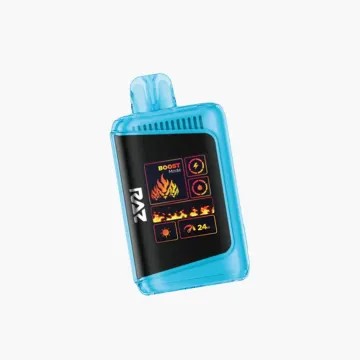
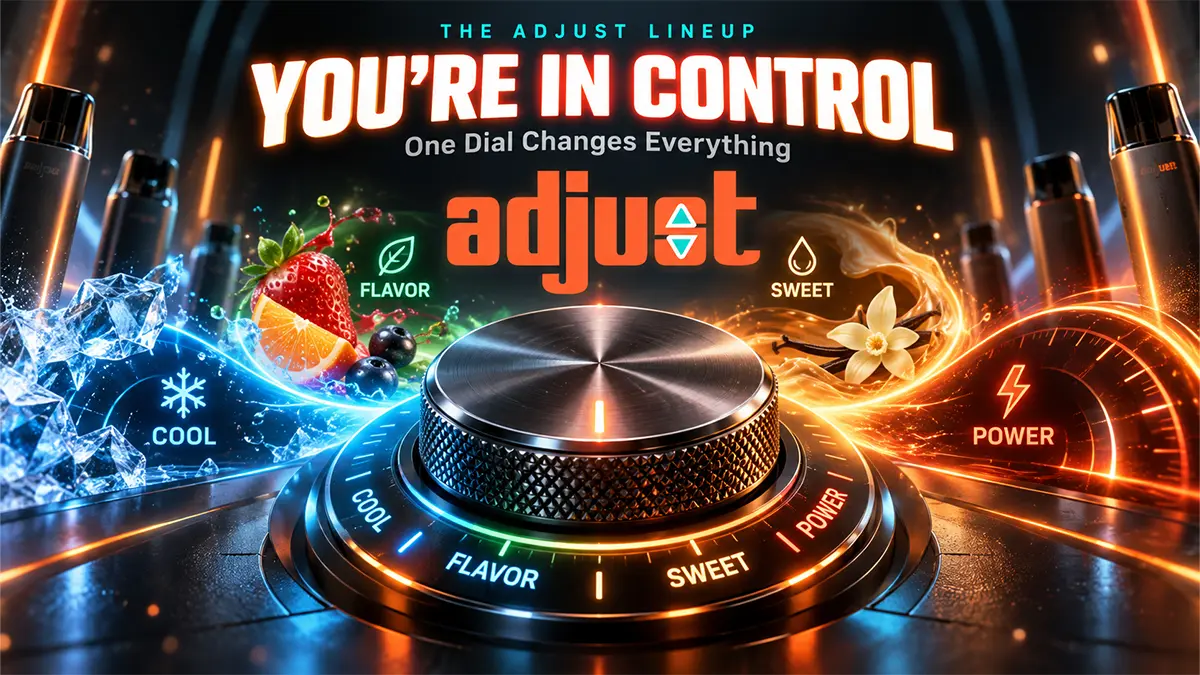
Every Adjust vape has a dial, and that dial is the whole point of the brand. All four models run 40,000 puffs on 20mL of 5% nicotine salt, so the hardware is not what separates them. What separates them is which part of the experience you get to change: how cold it is, which flavors you taste, how sweet it is, or how hard it hits.
Key Takeaways
- MyCool: five coolness settings, Breeze to Arctic Freeze.
- MyFlavor: two flavor chambers blended across six ratios.
- MySweet: four sweetness levels, shown as sugar cubes.
- MyRusher: three power modes plus stepless airflow.
- All four are draw activated, recharge over USB-C, and none has an adjustable nicotine level.
Before the First Puff
There is nothing to assemble and no button to press five times. Take the device out, pull the sticker off the airflow port if one is fitted, and inhale. The screen wakes on the first draw and shows battery and, depending on the model, the current setting.
Charge it before a long day out rather than after it dies. Twenty millilitres of e-liquid outlasts the battery several times over on every model, so you will be plugging in well before the tank runs dry. Any USB-C phone cable works. None of these devices ships with one.
MyCool: Setting the Coolness
The Adjust MyCool 40K separates cold from flavor. Five settings run Breeze, Cool, Chill, Frost and Arctic Freeze. Breeze is barely a chill, useful when you want the fruit to come through clean. Arctic Freeze is a full menthol hit.
Turn the dial and the animated display shows which level is active. The flavor itself does not change at any setting, only how cold the draw feels. One device can be a summer iced drink in the afternoon and a winter menthol at night.
MyCool also has three turbo modes on a slider. Turbo I is the setting the 40,000 puff rating assumes; Turbo II is rated for 30,000 and Turbo III for 20,000, with warmer vapor as you climb. On this model the slider moves airflow along with power, so the draw tightens as the output rises.
MyFlavor: Blending Two Flavors
The Adjust MyFlavor 40K is the one people ask about most, because the dial does something no other disposable does. Inside are two separate flavor chambers, and the dial decides how much of each one reaches the coil.
Six positions are available. At one end you get flavor A on its own, then 80/20, 70/30 and 60/40. At the other end sits an even 50/50 split. The screen shows the active ratio as you turn. Find a balance and leave it, or change it whenever the mix gets boring. Setting it to either extreme is how you vape just one of the two flavors.
Two power modes sit alongside the blending dial. Normal Mode carries the 40,000 puff rating. Burst Mode warms the coils for denser vapor and drops the rating to about 20,000.
MySweet: Turning the Sugar Down
The Adjust MySweet 40K puts sweetness on a four-step dial, displayed on screen as sugar cubes from none to three. At zero you get the fruit or candy note without the syrup. At three it is a full dessert vape.
This matters more on a 20mL device than it sounds. A flavor that feels sickly by day three is normally a device you abandon; here you turn it down instead. The liquid is the same at every level, so nothing is wasted.
Power runs on three settings like MyCool: Power I is rated for 40,000 puffs, Power II for 30,000 and Power III for 20,000.
MyRusher: Power and Airflow
The Adjust MyRusher 40K leaves the flavor alone and lets you shape the hit instead. Three modes step up in output: Normal, Rush and Turbo. Normal is the everyday setting and the one the puff rating assumes. Turbo pushes hardest and drains the battery fastest.
The airflow slider on the base is the part regular vapers notice. Instead of clicking into three or four fixed notches, it moves smoothly, so you can stop anywhere between a tight cigarette-style draw and a fully open one. Combined with the three power modes, that is the most adjustable draw in the range.
MyRusher also carries the biggest battery of the four at 1,000mAh, and its tank is transparent, so you can check the level without waking the screen.
What the Dials Do Not Change
Two things stay fixed on every Adjust device, and both come up often.
- Nicotine. Every model and every flavor is 5% nicotine salt, which is 50mg/mL. Despite the brand name, none of these devices adjusts nicotine strength.
- Capacity. All four hold 20mL and are rated for 40,000 puffs at their lowest power setting. Higher settings lower that rating, which is normal for any device with power modes.
It is worth saying plainly: the puff rating is a ceiling measured with short draws on the lowest setting. Real use lands under it on every disposable, not just these.
Charging and Everyday Care
Plug into USB-C when the screen shows the battery low. MyRusher takes roughly 45 to 60 minutes from empty; the others are in the same range. Charge on a hard surface rather than a bed or sofa, and unplug once it is full.
If the draw feels weak, check the airflow setting before assuming the device is finished. On MyRusher that is the slider on the base; on MyCool and MySweet the power slider moves airflow with it. If flavor tastes flat, try the opposite end of whichever dial the model has. A great many devices get thrown out at half full because a setting was wrong.
Which One Should You Buy?
Start with what annoys you about your current vape. Too cold or not cold enough is MyCool. Bored of the same flavor for weeks is MyFlavor. Too sweet is MySweet. Too soft a draw is MyRusher. The specs underneath are close to identical, so there is no wrong answer on hardware. Browse the full range on the Adjust brand page.
Adjust Vape FAQ
How do you use an Adjust vape?
Inhale to fire it; there is no button and no assembly. Then set the dial your model carries: coolness on MyCool, the flavor blend on MyFlavor, sweetness on MySweet, or power and airflow on MyRusher. The screen shows the active setting, and you can change it at any time.
How do you use the Adjust MyFlavor?
Turn the dial to move the blend between the two flavor chambers. Six positions run from one flavor on its own through 80/20, 70/30 and 60/40 to an even 50/50 mix. The screen shows which ratio is active. Set the dial to either extreme to vape a single flavor.
Can you adjust the nicotine on an Adjust vape?
No. Every Adjust model is fixed at 5% nicotine salt, which is 50mg/mL. The dials change coolness, flavor blending, sweetness or power, never nicotine strength.
How many puffs does an Adjust vape last?
Up to 40,000 at the lowest power setting on all four models. Higher settings lower it: MyCool and MySweet drop to 30,000 and then 20,000 across their three modes, and MyFlavor drops to about 20,000 in Burst Mode. Real-world counts land under the rating on any device in this class.
How long does an Adjust vape take to charge?
Roughly 45 to 60 minutes from empty over USB-C. No cable is included, so use any standard USB-C phone cable. The 20mL tank outlasts the battery several times, so expect to charge more than once per device.
Which Adjust vape is best for menthol?
MyCool, because it is the only model that separates coolness from flavor. Its five settings run from Breeze, which is barely chilled, to Arctic Freeze, which is a full menthol blast, on the same flavor.
Why does my Adjust vape taste weak?
Check the settings before anything else. A wide open airflow or the lowest power mode both soften the draw, and on MyCool and MySweet the power slider changes airflow at the same time. Try the opposite end of the dial and give the coil a few puffs to catch up.
WARNING: This product contains nicotine. Nicotine is an addictive chemical. For adults 21 and over only. Puff counts are manufacturer ratings; real-world results vary with use.